Please use only the connecting cable delivered with the folder. The folder is pre-adjusted to 230 Volts/50 cycles. Make sure that the mains supply voltage is identical with your supply.
Do not use multi plug extension cords!
These cords will not stand the power consumption of plotter and folder.
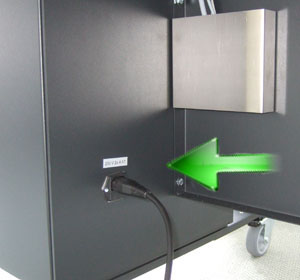
The power supply box is at the right bottom side of the folder.
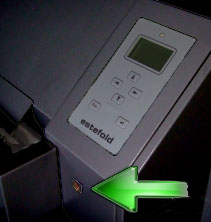
The main switch is at the folder’s front side.
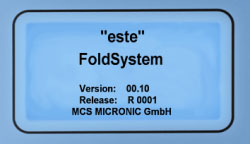
The display shows a short message as indicated. The Firmware versions are briefly shown in the display.
After that the display shows "este Foldsystem" including folder software version and release.
When the folder has completely started a double beep signal will sound.
At the same instance, you will notice the green LED on top of the display illuminate. You will see the folding program last used displayed.
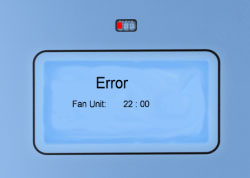
In case an error is detected during the self test phase, a message will be shown in the display after "este Foldsystem" has disappeared.
The message contains error and localization code. Furthermore, a red LED on top of the display will be blinking. Refer to the .
After clearing the jam press button in order to restart the folder.
There are three LEDs on top of the folder's display:
The green LED indicates the folder being ready for safe and normal operation.
The red LED is blinking in case of any error.
The yellow LED indicates that the folder is busy folding.


 in order to restart the folder.